 English
So, you're planning an event in Phoenix and you've hit that point where you're asking, "How do I make this thing actually stand out?" I mean, let's be real—anyone can hook up a speaker and call it a day. But if you want people to put their phones down and actually pay attention, you need a visual punch. Something big, bright, and impossible to ignore. That's where the whole idea of renting an LED screen comes in. But then the next thought hits you—"Ugh, this sounds complicated, and probably crazy expensive." Right? Well, what if it wasn't? What if getting that professional, high-impact look for your corporate event, your outdoor festival, or even that huge birthday party was actually... straightforward? Let's talk about that.
I get it. Projectors are the go-to for a lot of folks. They're familiar. But here's the thing—have you ever tried to use a projector in a brightly lit Phoenix ballroom, or, heaven forbid, outside during a desert afternoon? The image gets totally washed out. You have to turn off all the lights and close the blinds, and even then, it's just not the same punch.
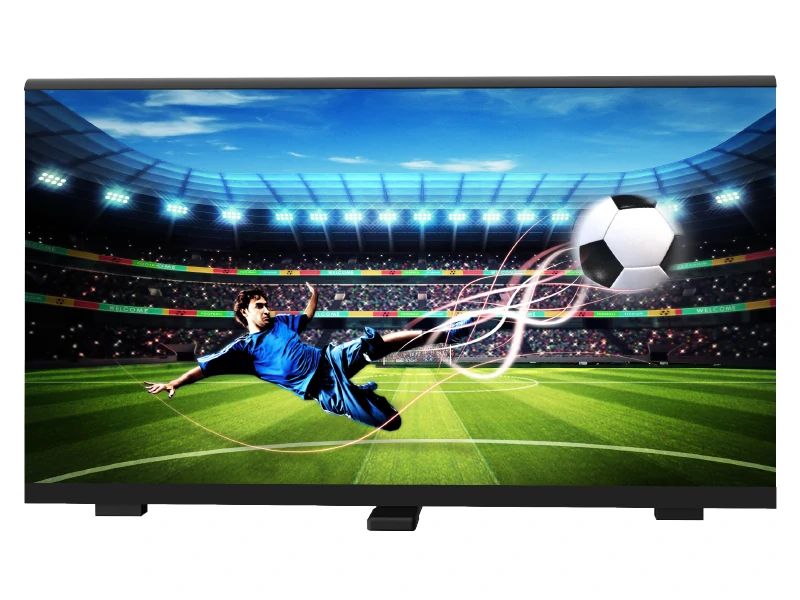
An LED screen? It createsits own light. That means it’s visibly brilliant under pretty much any condition. Direct Arizona sun? No problem. Harsh indoor venue lighting? Bring it on .
But it's not just about brightness. It's about flexibility. Think about what you can show on there:
Live video feeds: Imagine showing a live shot of the band on stage, or the speaker at the podium, right on the giant screen behind them.
Dynamic presentations: Powerpoints that actually look vibrant and not pixelated.
Social media walls: Get your audience involved by flashing their posts and tweets up there for everyone to see.
Sponsor ads and branding: Keep your partners happy with super crisp, rotating logos.
It’s this all-in-one visual solution that just commands attention.
Let's put 'em side-by-side so you can see what I'm talking about. This isn't about one being "better," it's about which tool is right for the job you're doing today.
.
Poor. Image gets washed out, needs a dark space. | ||
Setup Complexity | More Involved. Needs a pro crew for assembly, but it's part of the rental package . | Simpler. Generally easier for basic setups. |
Viewing Angles | Super Wide. Looks great from almost any angle in the room. | Narrow. Quality drops off if you're not sitting directly in front. |
Overall "Wow" Factor | Massive. Feels modern, high-tech, and immersive . | Good. A classic choice, but less impactful. |
See? A small, dark boardroom meeting? A projector might be just fine. A trade show booth at the Phoenix Convention Center? You're gonna want the LED screen, no question .
This is the part where most people's eyes glaze over. Pixel pitch. It sounds super technical, but it's actually simple. Pixel pitch is basically the distance between the tiny little lights (pixels) on the screen. A smaller number, like P2.9 or P3.9, means the pixels are packed really close together. This gives you a super sharp, high-resolution image, but you only really appreciate that sharpness if people are standing fairly close to the screen .
A larger pixel pitch, like P4.8 or P6.2, means the pixels are a bit farther apart. If your nose is right up against it, it might look a little blocky. But if your audience is going to be 20, 50, or 100 feet back—think a concert at Chase Field—they will never, ever notice the difference. And the cool part? The larger pixel pitch screens are often more budget-friendly .
So the golden rule is this: Match the pixel pitch to your audience's average viewing distance. Don't let a rental company upsell you on an ultra-fine-pitch screen if it's not necessary for your event. It's a waste of money.
.jpg "rent LED screen")
So you're sold on the idea. Now, who do you call? In the Phoenix area, you've got a few types of providers.
All-in-One Event Specialists: Companies like FunFlicks offer everything from inflatable movie screens to cutting-edge LED trailers and modular walls. They're great for a wide range of events, from community gatherings to watch parties . The benefit? They often have packaged deals and are used to working with all kinds of events.
AV & Production Powerhouses: Then you have companies like Insane Impact and the providers listed on sites like Aria AV and Meeting Tomorrow. These companies often have a deeper inventory and extensive experience with large-scale, complex events. They bring a professional AV team to ensure everything runs smoothly .
What to Look For: My two cents? Always, always ask what's included in the rental. A reputable company should offer a full-service package: delivery, professional installation and leveling, on-site technical support for the duration of your event, and breakdown . Be wary of quotes that seem too good to be true—they often exclude the crucial support services. A company’s willingness to discuss your specific needs is a great sign of professionalism.
Let's talk numbers. There's no single price tag because it depends on your specific needs. The cost is influenced by several factors :
Screen Size & Resolution: Obviously, a bigger, sharper screen costs more.
Rental Duration: Daily and weekly rates are common.
Additional Services: Factors like content management, a dedicated technician, or extra weather-proofing for outdoors will affect the final price.
You might see pre-packaged deals for a smaller video wall (e.g., around 11.5ft x 6.6ft) starting in the range of $3,000 - $4,000 for a basic setup . Larger, custom-built LED walls for major events can easily run into the tens of thousands of dollars, with quotes starting around $15,000 for a 10'x10' wall and going up from there . The key is to get a detailed, custom quote that breaks down all the costs. Don't just go for the cheapest option; make sure you're comparing the same level of service and equipment quality.
After seeing what can go right and wrong, here's my honest advice to make your Phoenix event a smash hit:
Content is King, But Format is Queen: You can have the most expensive, high-resolution screen, but if your video or image files are low-resolution, they're going to look blurry and cheap. Always provide your media in the highest resolution possible. Some providers, like RoleHeller, even offer content testing services, which is a huge help .
Sound is Not Included: This catches so many people off guard! An LED screen is for visuals only. You will need a separate sound system. Factor this into your overall AV budget.
Think About the Phoenix Environment: If your event is outdoors, that desert sun is no joke. Ensure the rental screen has high brightness (measured in nits)—like 5,500 nits or more—and is weatherproof (look for an IP65 rating or similar) to handle the elements .
Ask About the Backup Plan: What happens if a panel fails? Professional companies have backup equipment and contingency plans. "The show must go on" isn't just a saying—it's a requirement.
Renting an LED screen in Phoenix should be the exciting part of planning your event, not the stressful part. It’s about creating a visual experience that people will be talking about long after it’s over. By asking the right questions and partnering with a solid provider, you can totally pull it off.
Q1: How far in advance should I book an LED screen rental in Phoenix?
It's highly recommended to book as far in advance as possible, especially for peak seasons or around major holidays and city-wide events. A minimum of 2-4 weeks' notice is advisable to ensure availability.
Q2: Can LED screens be used outdoors in Phoenix's bright sun?
Yes, many rental companies offer high-brightness, weather-resistant outdoor LED screens designed to perform well even in direct sunlight. They are typically rated IP65, meaning they are dust-tight and protected against water jets . Always confirm these specifications with your provider.
Q3: What is included in a typical rental package?
A professional rental package should include the LED screen itself, delivery, professional installation and setup, an on-site technician for the duration of your event, and teardown. Audio equipment is usually not included and may need to be rented separately .
Q4: How is the content displayed on the rented LED screen?
Content is typically played from a media player or a computer that you or the rental company provides. This source device connects to the screen's processor, often via an HDMI cable. Many providers can also offer content management and testing services to ensure everything displays correctly .
Q5: What is pixel pitch and why does it matter?
Pixel pitch is the distance, in millimeters, from the center of one LED pixel (a cluster of red, green, and blue diodes) to the center of the next. A smaller pixel pitch (like 2.9mm) means pixels are closer together, providing a sharper image for viewers who are close to the screen. A larger pitch (like 4.8mm) is more suitable for audiences viewing from a greater distance . Choosing the right pitch ensures optimal image quality for your specific venue and audience layout.
.jpg "Who makes reliable LED smart temperature display mugs?")
.jpg "Wholesale 4K LED Video Wall Manufacturers: How to Pick the Right One?")