English
You need a sign that you can change yourself — a scrolling message board outside a shop, a menu board inside a café, a scoreboard for a local pitch, or a wall of screens in a lobby that someone in marketing wants to update from a laptop. You search for programmable led display manufacturers and within twenty minutes you are looking at roughly four hundred companies, all of them claiming factory-direct pricing, all offering free samples, and quotes ranging from about $400 to $3,500 per square metre for what is apparently the same thing. Nobody explains the gap. Nobody tells you that "programmable" covers everything from a £90 WiFi-controlled price board to a full video processor with cloud scheduling, and if you ask for a quote without saying which kind of programmable you mean, you will get a price for something you cannot actually use. And almost nobody mentions that the controller is where these projects go wrong, not the LEDs — because the panel works fine, it is the software that nobody can log into six months later.
Here is the direct answer.
If you want documented specs and a supplier still around in five years, the names that keep coming up are Leyard (which owns Planar), Unilumin, Absen, Ledman, LianTronics, AOTO, plus a wide second layer of Shenzhen, Dongguan and Huizhou factories specialising in signage and fixed cabinets, and Zhongshan for acrylic and light-box style work. For small programmable message boards and single-colour scrolling signs there is a separate cluster around Guangzhou and Shenzhen that lives on the B2B directories and exhibits at ISLE and InfoComm. If you need fine pitch or broadcast-grade walls, lean toward the bigger players or a verified mid-tier factory willing to lock its component list in writing. If you need a handful of small programmable boards fast, the mid-tier specialists usually win on speed. That is the short version. The rest is how you stop guessing.
In this trade, "programmable" is not a spec, it is a category label covering at least five different products. The panel might be similar, the control chain is completely different.
Single/dual colour scrolling message boards. Red or red-green, P10 modules, controlled by USB stick or WiFi app. Cheap, robust, used for shop prices, church notices, bus stops. Weakness: low resolution, cannot show video, and the app ecosystem is often a third-party controller nobody has documented.
Full-colour fixed outdoor cabinets with a sending box. Standard digital signage. Runs NovaStar, Colorlight or Linsn hardware, programmed from a PC with NovaLCT / ViPlex / Colorlight Vision. This is the mainstream choice and the one with the most support available.
Fine-pitch indoor walls with a video processor. For lobbies, retail, control rooms. Needs scaling, calibration data, and someone who understands EDID and refresh timing.
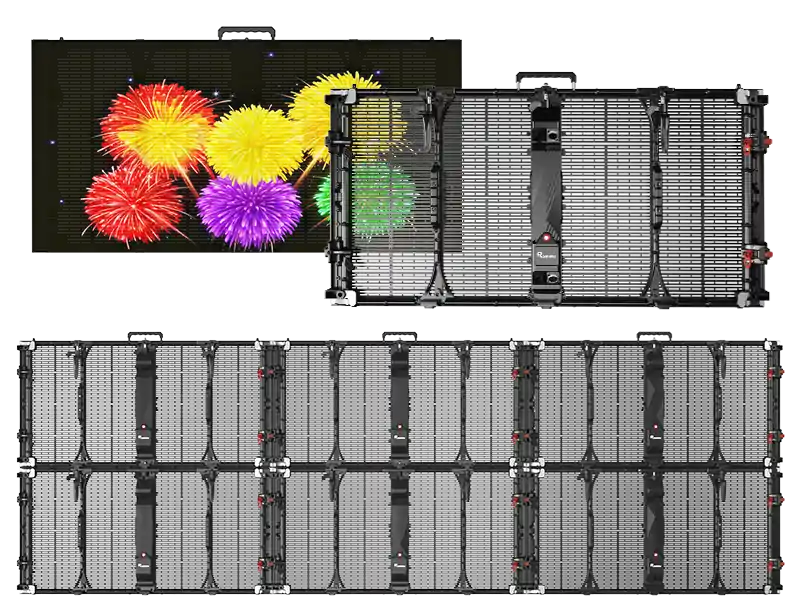
Transparent / mesh / creative formats. These work, but the programming chain is often proprietary and spare parts are a real problem later.
Small LCD-style programmable price boards and counter displays. Often not LED modules at all but segmented or dot-matrix units with their own software. Different supply chain entirely.
Ask yourself before requesting any quote: who is going to change the content, how often, from what device, and whether the content is text-only or video. Because if the answer is "the shop manager with an iPad", buying a full NovaStar sending system is overkill and they will never use half of it.
| Type | Best for | Control method | Where it fails |
|---|---|---|---|
| Single/dual colour scrolling board | Prices, notices, bus stops | USB stick or WiFi app | Low resolution, third-party apps with poor documentation |
| Full-colour cabinet + sending box | Digital signage, storefronts, sports | NovaStar / Colorlight / Linsn PC software | Needs a PC and basic setup skill; poorly configured = flicker |
| Fine-pitch wall + processor | Lobbies, retail, broadcast | Video processor + control software | Cost, calibration drift, heat in recessed installs |
| Transparent / mesh / creative | Facades, feature walls | Often proprietary | Spare parts, proprietary software, weak uniformity |
| Small programmable price/counter displays | Shops, counters, queues | Dedicated PC/phone software | Not upgradeable, limited content types |
Two PDFs can read identically and describe meaningfully different hardware. Once you learn where the gaps hide, the price spread stops looking like corruption and starts looking like arithmetic.
| What looks identical | What actually differs | Why it moves the price |
|---|---|---|
| Same pixel pitch | LED package 1921/2727/3535 or newer alternatives | Bigger packages handle heat better; smaller ones run hotter |
| Same brightness claim | Common-cathode vs common-anode; measured vs theoretical | Common-cathode costs more but cuts power and heat substantially |
| Same "IP65" | Front and rear both rated? Gasket material? | Cheap gaskets harden within two summers and the rating becomes a story |
| Same cabinet size | Die-cast aluminium vs sheet metal; metal thickness | Thin metal warps, seams open, water finds a way in |
| Same warranty length | Who pays parts, labour, freight, response time | A "five-year warranty" with no freight clause is worth much less |
| Same square metres | What is excluded | Structure, rigging, power distribution, processor, content, commissioning arrive as surprise invoices |
The biggest movers in practice, and the ones people forget to check:
LED die brand and bin grade. Top-bin Nationstar or Kinglight versus a lower bin changes colour consistency noticeably. Put two cabinets side by side under grey content and you will see a patchwork. This is the single most common reason a wall looks wrong six months after install.
Driver IC. MBI5124, ICND2055, SM1620B — different chips, different grey scale at low brightness, different refresh behaviour on camera. If the screen will be filmed, the driver IC matters more than the pixel pitch.
The controller brand and whether it is genuine. This one is specific to "programmable" buys. NovaStar, Colorlight and Linsn are the three main chains. Counterfeit receiving cards exist. Ask for the card model numbers and verify them in the configuration software — the software will tell you what is actually installed, which is more honest than the spec sheet. Also ask whether the license for the control software is included and whether it is perpetual or annual. Some suppliers quote the hardware and then charge separately for the software seat or the cloud platform subscription. That is how a cheap quote becomes expensive in year two.
PCB thickness and copper weight. Thinner boards save money and move heat worse. Heat is what kills LED output over time.
Power supply brand. Mean Well, Great Power, or unbranded. The unbranded one works fine until it does not, and it has a habit of failing on a Friday evening.
Mask finish and cabinet flatness. On fine pitch, flatness is everything. Half a millimetre of warp and the seams catch the light.
Two traps worth naming. Bare-screen pricing that grows later — structure fees, processor licenses, calibration charges, commissioning costs, shipping terms nobody clarified. And the sample-versus-production gap: the sample was hand-picked, the production run was whatever came off the line that week. Lock the component list into the purchase order: LED source and bin range, driver IC model, controller brand and card models, power supply brand, PCB spec, mask type and finish, cabinet material and thickness, with a clause that any substitution requires written approval, and insist production matches the approved sample. Get it signed, not agreed over dinner.
Also ask for the dead-pixel acceptance standard in writing. Different suppliers use different thresholds per square metre at delivery. If nobody states a number, you will discover their standard after the install crew has gone home.
This filter does more work than anything else here. Most buyers skip it because asking feels mildly awkward, especially across language and time zone. Ask anyway.
Business licence with manufacturing in scope. Sales-only registration means reselling. Simple as that.
ISO 9001 certificate number, verified on the registrar's own site. Not the PDF they emailed. The actual lookup result.
A live video walk-through, today. Ask to see the SMT line, the aging racks, the rain test setup, and a cabinet being assembled. Ask them to hold up a handwritten note with your name and today's date. Trading companies stumble here — not always from dishonesty, sometimes just because there is no floor to show.
A component list by brand. Factories recite this instantly. Traders go vague and promise to "confirm."
Test reports issued in their own company name. If the FCC, CE, or photometric report lists a different entity, ask why. Rebranding is a legitimate reason. You want the reason in writing, not discovered at customs.
Exhibition history. ISLE Shenzhen, InfoComm, ISE Barcelona, Guangzhou fairs. Real manufacturers exhibit the same shows year after year. Booth records are harder to fake than a PDF.
Two reference installs you can visit, one of them at least two years old. An outdoor wall tells the truth after two summers. Photos do not.
One sample cabinet or module. One square metre teaches you colour consistency, dead pixel rate, connector fit, seam flatness, and — most telling of all — how fast they actually ship.
If the order is big enough, go in person. Shenzhen, Dongguan and Huizhou are all within reach for a day trip if you are based in Asia, and for Western buyers a two-day visit pays for itself. Bring a torch. Look at solder joints. Look at the encapsulation for bubbles. Check the magnet alignment and the cable glands. Ask to see a cabinet sitting on the aging rack for seventy-two hours. You learn quickly what paperwork conceals.
Pixel pitch. Minimum comfortable viewing distance in metres ≈ pitch × 1 to 1.5. P2.5–P4 for retail fronts and lobbies, P5–P8 for billboards and stadiums. Going finer than your viewing distance burns money and generates extra heat for no gain.
Brightness. Shaded outdoor 4,000–5,000 nits. Direct sun 6,000–8,000 nits. Indoor 600–1,500 nits. Always with auto-dimming tied to a light sensor, and always checked against local night-brightness rules. More brightness than you need fatigues the audience and cooks the cabinet.
Common-cathode drive. Worth paying for on any large or permanently-on outdoor screen. Cuts power draw and heat substantially, meaning smaller power distribution, lower running costs, longer PSU life. Only accept it if the supplier gives measured consumption at a defined brightness and test pattern, not the theoretical maximum. Maximum wattage is a marketing number. Average wattage is the number you pay.
Service direction. Flush against a wall with no access behind means front service. Costs more and limits cabinet size. Decide before finalising the structure, because changing it later means rebuilding the frame.
Derating. At what ambient temperature does the screen automatically reduce brightness, and by how much. If the answer is "it does not derate," either they are overstating things or the cabinet is massively over-engineered. Neither is likely at the bottom price. In a hot summer, inside a recessed soffit with no airflow, internal temperature can run twenty degrees above ambient. This is where screens fail, quietly, over a year.
Refresh rate and camera performance. If the screen will be filmed, ask for measured performance at your actual shutter speeds with your actual content.
The programming chain specifically. This deserves its own paragraph because it is the part that makes or breaks a "programmable" purchase. Confirm the exact controller model, the software name and version, whether the software runs on Windows only or has a web or mobile option, whether scheduling is built in or needs an extra cloud subscription, whether multiple screens can be managed from one account, and whether the supplier will give you the .rcfg / configuration file for your specific cabinet. That configuration file is the key to the whole thing — without it you cannot add modules later, you cannot replace a receiving card, and you are locked to one vendor forever. Ask for a copy before payment and keep it somewhere you will remember. Also ask whether remote monitoring (temperature, status, fault alarms) is included, and whether the screen supports RS232/third-party integration if you ever want to tie it to a CMS or a scoring system.
Spare parts strategy. Will this cabinet still be in production in three years? Will they ship five modules or insist on a minimum order? Will the replacement bin match the aged ones already on your wall? Order spares with the main order, including at least one spare receiving card pre-configured.
Electrical and local compliance. Plugs and wiring to local standards, each cabinet or group on its own fused feed. Daisy-chaining too many units on one circuit is a common cause of early power-supply failure. Use a qualified electrician for the final connection and keep the test certificate. For external signs, check local planning rules and any landlord house rules; many buildings restrict sign projection, illumination hours and fixings into the facade.
Certifications. United States: FCC Part 15 mandatory; UL or ETL often required in practice by landlords, insurers and government tenders. EU/UK: CE covering LVD (EN 62368-1), EMC (EN 55032/55035), RoHS, technical file kept at least ten years; UKCA for Great Britain. Always ask for ISO 9001, ISO 14001, an IP rating report from a recognised lab rather than a self-declaration, and a flicker statement if the screen will be filmed. Practical bit: ask for the report number and issuing body, then look it up yourself. A scanned certificate with a fuzzy logo proves nothing except that someone owns a scanner.
They will not do a live video call, or they keep rescheduling it.
The IP rating is self-declared with no test report number.
The certification report names a different company and nobody can explain why.
"Any pitch, any brightness, any price." Real factories have limits and they state them.
Price well below the market band while cabinet thickness and LED specs stay vague.
No stated dead-pixel acceptance standard at delivery.
Warranty says "five years" and says nothing about return freight, response time, or who sends the technician.
Payment demanded fully upfront, or into a personal account.
Zero reference projects in your application category, or references that do not answer the phone.
No discussion of wind load, structure, access, or local brightness regulations.
They cannot tell you the controller brand without "checking."
They will not provide the cabinet configuration file.
The sample took eight weeks and arrived with uneven cabinet alignment.
Is the cheapest option always wrong? Not always. But cheap with vague specs is a different product from cheap with locked specs. Unit price alone tells you nothing; the itemised quote tells you nearly everything.
Do I need a big-name manufacturer? If the screen is permanent, highly visible, exposed to weather, and someone important looks at it daily, probably yes. If it is a secondary screen under a canopy or a temporary activation, a verified mid-tier factory usually delivers the same result for less.
Can I trust a supplier I have never visited? Yes, provided you run the checks above and order a sample. Physical visits help considerably, but a dated live walk-through plus certificate lookups catch most of the same problems.
Should I just pick the finest pitch available? No. Finer pitch costs more, draws more power, makes heat worse, and gains you nothing if people view from fifteen metres away. Spend that budget on calibration, spares, and a proper processor instead.
Do I really need to worry about the controller? Yes. This is the part that determines whether you can actually change the content yourself, and whether you are locked to one supplier forever. The panel is replaceable; a discontinued controller with no configuration file is a brick.
What software should I expect? For NovaStar chains, NovaLCT for configuration and ViPlex/VNNOX for content and cloud; Colorlight has Vision and their cloud platform; Linsn has LEDVISION. Ask which one your quote includes, whether it is Windows-only, and whether cloud scheduling costs extra per year.
How many spares should I order? Five percent of modules is a common starting point, plus a couple of power supplies and at least one pre-configured receiving card. For a large or hard-to-access install, push it higher.
Who handles installation and commissioning? Your local integrator should, and they should sign off on structure and electrical. Confirm in writing before signing, because the overseas supplier will assume you did, and you will assume they did, and meanwhile the crates sit in a warehouse.
I have watched buyers chase the bottom quote on a storefront screen and spend the next two summers dealing with water ingress because the gaskets hardened and the metal warped. I have also watched buyers overpay for a famous logo on a shaded wall where a competent mid-tier factory would have done exactly the same job. The gap between those two outcomes was rarely about the brand. It was about whether someone wrote the component list into the contract, looked at the first batch with actual eyes, and asked what happens in year four before anyone signed anything.
With programmable displays specifically, I have seen more projects fail on the software side than on the hardware side. A perfectly good panel that nobody can log into, a cloud subscription that expired and nobody renewed, a configuration file that lived on a salesperson's laptop who then left the company. Those failures do not show up in any quote comparison. They show up eighteen months later on a Tuesday morning when the screen goes grey.
What lasts comes down to three things: a thermal story you can verify with measured numbers, component transparency you can check yourself, and a warranty backed by an address that answers and will actually send a technician — plus, for programmable work, a copy of the configuration file and a clear answer on who owns the software license. Get those right and the rest is detail.
If I had to start over with zero contacts and a real deadline, I would define the site properly — sun hours, wind load, access, local rules, who updates the content — shortlist three suppliers using the checklist above, demand itemised quotes with locked components and a separate line for structure and software, verify one certificate each myself, order one sample cabinet, hang it up for a week in the actual conditions and try to program it myself, and only then negotiate. Three to four weeks, roughly. It removes most of the risk and costs almost nothing except patience.
Last thing, and I say it because I wish someone had said it to me: do not skimp on the structure, the power distribution, and the content. The finest screen in the world looks wrong on a frame nobody calculated, flickers on a circuit that was undersized, and wastes all its brightness on content designed for a phone. Get the steel right, get the electrics right, get the content designed for the actual viewing distance and the actual light conditions. The panel itself is the easy part.
1. Who are the main programmable LED display manufacturers? By scale and export volume: Leyard (incl. Planar), Unilumin, Absen, Ledman, LianTronics, AOTO, plus a broad layer of Shenzhen, Dongguan and Huizhou specialists in signage and fixed cabinets. Largest is not automatically best for your specific format.
2. What does "programmable LED display" mean? It means the content can be changed by the user — via USB stick, WiFi app, PC software or cloud platform — rather than being a fixed printed graphic. The term covers single-colour scrolling boards through to full-colour video walls.
3. Which control systems should I look for? NovaStar, Colorlight and Linsn are the three mainstream chains. Confirm the exact card models, the software name and version, and whether cloud scheduling is included or charged annually.
4. How do I tell a factory from a trader? Check the business licence scope, verify the ISO certificate on the registrar's site, run a dated live video walk-through including aging racks, confirm report numbers with the issuing body, and order a sample.
5. What specs should I lock in the purchase order? LED source and bin range, driver IC model, controller brand and card models, power supply brand, PCB thickness, mask finish, cabinet material and thickness, IP rating, plus a clause requiring written approval for any substitution.
6. What certifications should I ask for? FCC Part 15 (US), UL/ETL as often required, CE covering LVD/EMC/RoHS with a technical file (EU), UKCA (Great Britain), ISO 9001/14001, and IP reports from a recognised lab rather than self-declarations.
7. What pixel pitch do I need? Minimum viewing distance in metres ≈ pitch × 1 to 1.5. P2.5–P4 for retail fronts and lobbies, P5–P8 for billboards and stadiums, P10+ for very long distances.
8. How bright should it be? Outdoor shaded 4,000–5,000 nits, direct sun 6,000–8,000 nits, indoor 600–1,500 nits, always with auto-dimming via a light sensor and checked against local night-brightness regulations.
9. What warranty should I expect? Two to five years depending on tier. What matters is who covers parts, labour, freight and site visits, what the response window is, and whether matching cabinets will still be available after year three. Get it in writing.
10. How long does delivery take? Standard fixed cabinets often run four to eight weeks from order confirmation; custom sizes, curved builds and large structures take longer. Always build in time for a sample, structure fabrication, shipping and commissioning.


.jpg "Which LED Segment Display Manufacturers Offer True Custom Sourcing?")
.jpg "Formal COB LED Display Manufacturers_Factory Vetting Guide")