 English
You are sitting in the back row of your sanctuary, squinting at a projected lyric slide that has gone slightly green on the left side because the projector lamp is dying again, and someone on the worship team says, "We should just get an LED wall." So you open your laptop and type led display screen for church manufacturers, and suddenly you have about three million results, half of them showing giant outdoor billboards and the other half showing churches that look nothing like yours — megachurches with forty-foot curved walls and budgets that could buy your building. And nobody, not one of those pages, tells you what happens when you put a bright video wall behind a preacher who wears white shirts, or why your livestream looks like it is flickering through a venetian blind.
I have been in that room. More than once. The good news is that a church LED wall is not actually complicated once you know which three or four things matter, and which twenty things the sales rep will try to make you care about. Let me walk you through it the way I would if you were buying this for my own church.
This is where most buyers go wrong, and it has nothing to do with manufacturers. It is about what the screen is asked to do. In a mall or a lobby, the screen shows branding and short loops, people walk past it, nobody reads paragraphs. In a church, people are going to read from it — lyrics, scripture references, sermon points, announcements — and they are going to read it for an hour straight, from the back row, while also trying to see the person speaking. That changes everything about the spec.
So before we talk about who to buy from, let us talk about what you are actually buying. Because if you get this part wrong, the best manufacturer in Guangdong cannot save you.
The four jobs a church screen has to do:
Readable text at distance. This is about pixel pitch and contrast, not about brightness. Too many churches buy a bright screen and then discover that white text on a bright background is unreadable from row twelve.
Look good on camera. If you livestream or record services, refresh rate and scan design matter more than anything else. A screen that looks fine to the eye can look terrible through a camera.
Not distract from the room. Glare, colour temperature, and sheer luminance. A screen that turns the front of your sanctuary into a television studio will fight the preacher every week. You want it to disappear when it is not being used — which means deep blacks and real dimming, not just turning the brightness down until the image goes muddy.
Survive Sunday after Sunday. Heat, dust, long run times, and the fact that someone, eventually, will lean a ladder against it.
Keep those four in your head. They are the filter everything else runs through.
Everyone leads with "how much per square metre." The question that actually decides the price is: how far away is the farthest person who needs to read text?
The rough rule I use on site: minimum comfortable reading distance in feet is roughly pixel pitch in millimetres times three. So P2.9 reads comfortably from about nine feet. P3.9 from twelve feet. P4.8 from fifteen feet or so. For video and images you can be closer; for text, give it more.
Here is how that maps onto actual sanctuaries:
| Sanctuary depth (front row to back wall) | Sensible pitch range | Notes |
|---|---|---|
| Under 12 metres / 40 ft | P1.8–P2.6 | Fine pitch. Text holds up close. Cost rises fast. |
| 12–20 metres / 40–65 ft | P2.6–P3.9 | The sweet spot for most mid-size churches. |
| 20–35 metres / 65–115 ft | P3.9–P4.8 | Good balance of cost and readability. |
| Over 35 metres / 115 ft | P4.8–P6+ | Large venues. Could go coarser still for stage backdrop only. |
And here is the thing nobody wants to hear: putting a P1.5 above your stage when the congregation sits thirty feet away does not make the experience better. It just makes the invoice bigger and the heat load worse. I have seen churches pay double for resolution that no one in the room can ever use, because the vendor's demo looked impressive at two metres. Do not buy a screen for the distance of the sales rep standing in front of it. Buy it for the distance of Mrs Chen in the last row who forgot her glasses.
Also: measure from the screen to the back row, not from the pulpit. If the screen is upstage and the congregation starts twenty feet back, your effective distance is longer than you think.
Brightness and dimming. Indoor church screens want roughly 800–1,500 nits peak, with smooth, flicker-free dimming down to very low levels. Many venues run the screen at 20–30% brightness during the service and only push it for video. What matters then is not the top number but how clean the image is at low brightness — grey-scale performance at 10% is where cheap drivers fall apart and you get banding in your worship backgrounds. Ask to see a demo at low brightness, not just at full blast.
Refresh rate. ≥1920 Hz is the floor. If you livestream, push for 3840 Hz. This is not a luxury item. Camera shutter sync is what makes or breaks your stream, and there is nothing quite as depressing as a beautiful new wall that puts horizontal bars across every video you publish. Also worth noting: different cameras at different shutter speeds behave differently, so test with your cameras, not the factory's demo footage.
Scan mode and driver IC. Constant current drivers, higher scan division, better uniformity. Names to recognise: Macroblock MBI5124/MBI5153, ICN2038S, SM series. Two modules can look identical and have completely different guts inside. Ask for the bill of materials by brand and model number. If the reply says "high-quality imported LEDs," you already have your answer.
Viewing angle and off-axis colour. Churches are wide. People sit at forty-five degrees to the screen all the time. SMD lamps with good packaging hold colour off-axis; cheaper ones shift. Stand to the side during the demo, do not just stand in the middle.
Heat and noise. This one gets skipped constantly. A wall of power supplies behind the stage pumps out heat, and if the cabinets are fan-cooled, they make noise. In a quiet room, during a prayer moment, a humming wall is genuinely disruptive. Ask whether the design is fanless or low-noise, and ask for the measured sound level. Also ask about derating — whether the screen automatically reduces brightness when the cabinet overheats. Good systems do this to protect themselves. Bad systems just fail on a hot Sunday.
Black level and contrast. Text readability in a lit room depends more on this than on peak brightness. Matte black masks, good module flatness, and proper calibration beat a big nits number every time.
Module flatness and seam gap. For fine pitch, gap under 0.1mm and flatness within 0.2mm, or you get a visible grid that no amount of software fixes. This is purely a tooling issue. Cheap tooling shows up here first, and it shows up worst on solid colours — exactly what you have when displaying sermon text.
Front or rear service. If the screen is built into a wall or a stage set with no space behind it, you need front service. I have seen a job where changing one module meant dismantling a timber enclosure the carpentry team had spent three days building. Not a good day. Plan access before you plan the wall.
Here is something useful to know: there is basically no such thing as a manufacturer that only makes church LED displays. There are LED display manufacturers, and some of them have done church installs, and some of them have done a lot of church installs, and that experience matters — but the product line is the same one that goes into hotels, schools, and control rooms. So do not filter your search for a "church specialist." Filter for a maker who understands the application and will tell you when your idea is wrong.
Broadly, you are looking at three layers:
Tier one — the big listed companies. Leyard (owns Planar), Unilumin, Absen, Ledman, Qiangli Jucai. They run their own SMT lines, do their own calibration, supply broadcast and stadiums. Their datasheets are real. Their pricing assumes volume. For a single mid-size sanctuary install they may route you through a distributor or integrator, which is not an insult, it is just how their sales machine works. Absen in particular has done a lot of houses of worship work and has a dedicated vertical presence in North America, which is why their name keeps coming up in church circles.
Tier two — mid-size makers in Shenzhen, Dongguan, Huizhou. This is where most churches and most integrators actually land. Some are excellent. Some run three aging racks and call it a factory. The difference between good and merely okay here shows up around month fourteen, not on day one — colour drift between batches, a power supply that runs hot, a connector that loosens. None of that photographs well.
Tier three — assemblers and trading companies. They buy components and put them together, or they buy finished modules and relabel. Listen, this is not automatically bad. An honest trader can be faster, more flexible, and easier to talk to than a giant factory, and for a one-off small install that can be exactly what you want. The problem comes when someone presents themselves as having twenty thousand square metres of production space they do not have. That is the lie you need to catch.
Then underneath all of it, the layer that matters more than the logo on the crate: the components. NationStar versus Kinglight versus Sanan lamps. Mean Well power supplies or something unpronounceable. Novastar, Colorlight, Linsn receiving cards. Ask for the BOM by brand and model. Always.
| Supplier type | Typical fit for a church | Price level | Where the risk hides |
|---|---|---|---|
| Listed giants (Leyard, Unilumin, Absen) | Large sanctuaries, broadcast/multi-site, permanent installs | Premium | May not engage directly on small jobs; longer lead times; often via integrator |
| Mid-size Guangdong makers | Mid-size churches, rental/stage, budget-conscious permanent installs | Mid | Quality varies; must verify aging and calibration capability |
| Assemblers / traders | Small screens, one-off upgrades, tight deadlines | Low | May overstate capability; warranty depends on them still existing in year three |
| Local AV integrator (buys from any of the above) | Churches that want one party responsible for design, install, and support | Highest | Markup, but single point of accountability — often worth it |
One thing worth saying plainly, because I get asked this a lot: "made in China" is not the problem. Most of the world's LED modules come out of Guangdong regardless of whose name is on the brochure. Your actual exposure is calibration discipline, whether they bin LEDs properly, whether they keep batch records, and whether the person answering your message knows the difference between a receiving card and a sending card. That last one is not a joke, I have had that conversation twice.
Have you done church or house-of-worship installs, and can I see one that is at least three years old? A showroom screen lies. A five-year-old screen tells the truth. Ask for photos of an aged install, ask what has been replaced on it, and if possible go stand in the room. Colour drift and dead-pixel creep only show up with time.
Which lamp brand and bin, and will you keep my batch records? Bin is the colour/brightness grouping. Mix bins and you get patches. When you need five replacement modules in year three, matching is everything. Ask them to commit in writing to retaining batch records for your project. Most will not offer this unless you ask.
Can I see a per-module calibration report, and does the data survive a module swap? Legitimate makers calibrate module by module and store the data. No report means no calibration, which means uneven patches forever. Some systems store calibration on the receiving card, some in software — the answer determines how painful maintenance is.
What refresh rate and scan design, and can I test it with my cameras? Do not accept a spec line. Ask to send your own camera and test, or to receive a sample module and shoot it yourself. Your cameras, your shutter speeds, your lighting. Factory demo reels are shot under conditions you will never replicate.
Who supports this after year two? Modules fail. Power supplies fail sooner. Having matched spares on site turns a three-week wait into a twenty-minute swap. I usually ask for 3–5% of the module count up front, same batch, shipped with the order. It is the cheapest insurance you will buy. And ask plainly: if my sales rep leaves the company — which they often do — who do I call?
Q: Should we get a fixed install or a movable/rental wall?
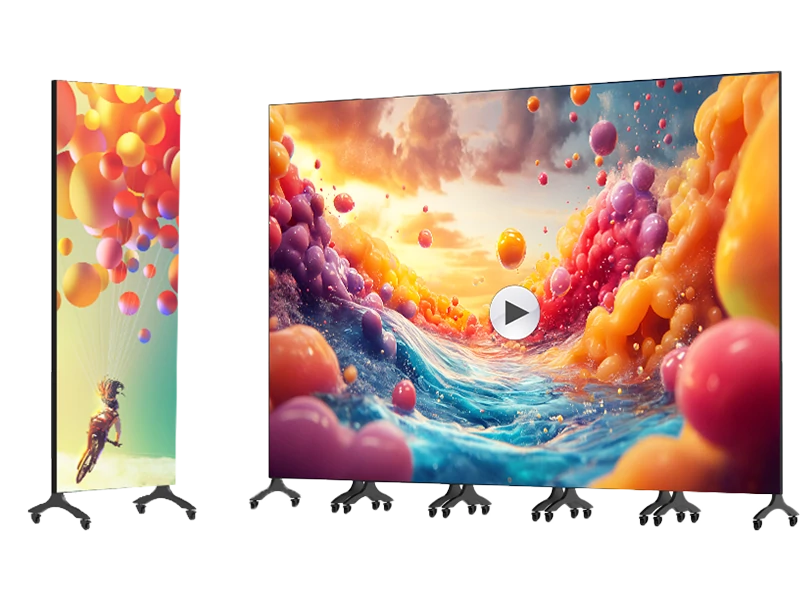
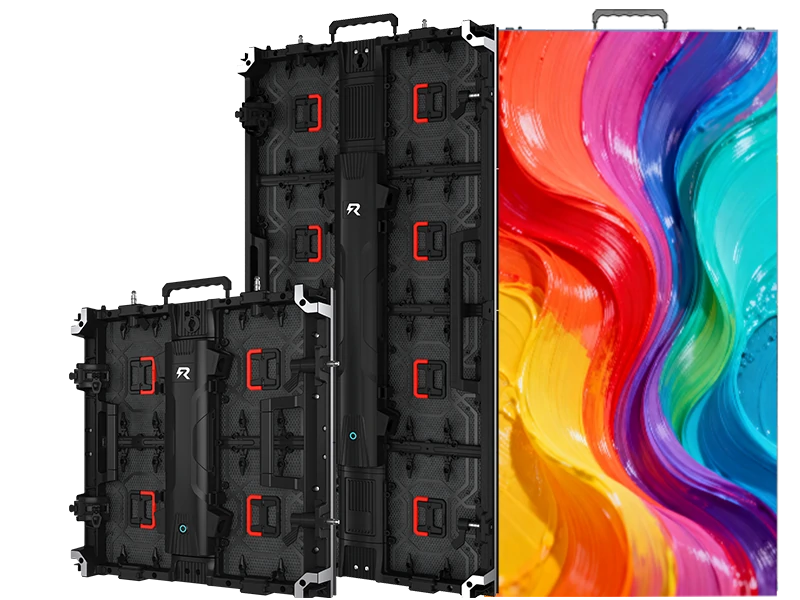
A: Depends how your room works. If the screen lives on the stage permanently and the room is dedicated, fixed gives you better seams, cleaner look, lower cost per square metre. If the stage gets reconfigured weekly, or the room is multi-purpose, a rental-style cabinet on a frame or a motorised lift can be worth the premium. But rental cabinets are heavier, more expensive, and the seams are never quite as tight. Do not buy rental gear for a permanent install just because it sounds flexible.
Q: One big wall or two side IMAG screens?
A: Honestly, for most rooms the answer is both, but if you must pick one: a centre wall wins for lyrics and sermon text; side screens win for faces. The reason churches end up with a centre wall plus two flanks is not fashion, it is sightlines. If your room is wide and shallow, side screens carry more weight. If it is narrow and deep, centre wall.
Q: Do we need a video processor or does the controller handle it?
A: You need a processor if you are switching between multiple sources — computer, camera, playback, livestream encoder. Novastar, Colorlight, Linsn dominate the controller space; processors sit upstream. Confirm licensing, confirm input count, and confirm someone on your team actually knows how to use it. A screen nobody can operate becomes a very expensive poster, and in a church that usually means it shows the same static logo for six months.
Q: What about content? Does the manufacturer help?
A: No. Well, rarely, and not well. Content is almost always the failure point, not the hardware. A church spends a lot on a wall and the only thing that ever appears on it is a looping background because nobody owns the content workflow. Assign an owner. Build templates, not slides. And if your service schedule lives in a spreadsheet or a planning tool, connect the screen to that source. Manual updates decay. Automated updates survive volunteer turnover.
Q: LCD video wall or LED?
A: Under about 110 inches with a consistent viewing distance, a large-format display or even a good projection setup can be cheaper and perfectly adequate. LED wins when you need seamless imagery, high brightness in a lit room, custom shapes, or very large sizes. For a worship environment where you mix live video and graphics, LED's flexibility usually wins. But do not assume LED is automatically the right answer — I have seen churches spend four times what they needed to because nobody tried projection with a better screen first.
Q: How loud is too loud?
A: If you can hear the cabinets from the front row during a quiet moment, it is too loud. Ask for measured dB at one metre and insist on fanless or low-noise designs for platform-adjacent installs. Also remember: heat follows noise. A noisy cabinet is moving air, which means dust, which means filters that somebody has to clean. Put that on the facilities calendar or find out during Easter service.
Q: How long will it last?
A: Realistic useful life is seven to ten years for the structure, with power supplies and fans replaced along the way. Brightness declines gradually — maybe thirty percent over that span at normal drive levels. Plan a refresh budget rather than assuming permanent installation. And plan for the controller/software to become obsolete before the panels do.
Numbers move with LED package markets and exchange rates, so treat these as ballpark. What matters is confirming what sits inside the number.
Indoor full colour, installed system per square metre:
P1.8–P2.6 fine pitch: roughly $1,800–$4,500+, depending on COB/mini LED and whether cabinets, structure, and commissioning are included
P2.6–P3.9: roughly $1,000–$2,500
P3.9–P4.8: roughly $700–$1,800
Modules alone — no cabinets, no controllers, no structure — run materially lower. Which is exactly why comparing "per square metre" quotes across suppliers is meaningless unless you confirm what is included.
Always confirm in writing: modules only, or modules plus cabinets plus receiving cards plus power supplies plus controller plus video processor plus cables plus rigging/frame plus crating plus shipping terms plus installation drawings plus spare parts plus on-site commissioning. A quote that comes in thirty-five percent cheaper than the others almost always excludes cabinets, controllers, and commissioning. It is not a discount. It is a different product.
Costs churches routinely forget: spare modules and power supplies; structural steel and engineering stamps (your building may require this, and your insurance certainly cares); electrical work and any permits; freight, duties, and port handling — DDP removes headaches but costs more; on-site commissioning and colour calibration in the actual room, because a screen calibrated at the factory will not match your lighting; content setup and operator training; and replacement lead time after warranty, because air freighting ten modules can cost more than the modules themselves.
Also: electricity. A large wall running several hours a day, seven days a week including midweek services and rehearsals, carries real demand charges. Common-cathode drive and auto-dimming cut consumption noticeably. Ask for an annual kWh estimate, not just peak wattage. Over seven years that number is real money, and it is often the figure that gets a capital request past a finance committee.
Step 1 — Write your own spec. Do not accept the supplier's template. Pixel pitch, cabinet size and material, module dimensions, brightness target, refresh rate, lamp brand and bin, driver IC, power supply brand, receiving card, scan mode, operating temperature range, required certifications, service direction, noise limit. Have them sign it back as the basis of the quote. When the goods arrive you check against this document. Without it you have nothing to check against.
Step 2 — Get physical samples. Two or three actual modules, not photos. Check uniformity at low brightness, hunt for dead pixels, check connector fit, lay a straightedge across the surface, and run it for forty-eight hours straight. A module that develops a warm corner after six hours has a thermal problem no spec sheet mentions. Better still: borrow or rent a small section and put it in your room for a week. Let your volunteers look at it. Let the pastor stand in front of it. You will learn more in three days than in three weeks of PDFs.
Step 3 — Audit. If you cannot travel, hire a third-party inspection company in Guangdong for a day. A few hundred dollars, pays for itself immediately. Verify SMT line count, aging room capacity, calibration equipment, and whether the company name on the business license matches the name on the quote. Mismatches happen more often than you would think.
Step 4 — Payment terms that protect you. Standard is 30% deposit, 70% before shipment or against copy of bill of lading. Never pay 100% upfront. Larger orders, use a letter of credit. Tie final payment to passing a pre-shipment inspection you arrange, not one they arrange.
Step 5 — Pre-shipment inspection. Module count, batch numbers, burn-in records, random photometric spot checks, cabinet fit, packaging. Flight cases for anything that moves should be custom-fit with foam. Cardboard boxes for ocean freight is how panels arrive cracked.
Step 6 — Test everything on arrival, before install. Power up every module in the warehouse. Finding a dead module on the ground is a five-minute swap. Finding it after the screen is built into a stage set is a whole different day.
Step 7 — Commission in the room. Calibrate at the actual operating brightness, with your actual lighting on. Factory calibration assumes a dark room. Your sanctuary is not a dark room.
Step 8 — Keep records. Batch numbers, calibration files, serial numbers, and the name of the person who handled your order. Sales reps change companies constantly in this industry. A direct line to someone who knows your project two years later is worth more than a slightly better price.
Ordering by pitch alone. Two P3.9 modules can differ enormously in lamp brand, scan design, and calibration. Pitch is a starting point, not a specification.
Buying for the demo room. Suppliers keep their best-calibrated, newest-batch panels in the showroom. Your production order comes from whatever batch is running that week. That is why sample evaluation and batch record retention matter.
Skipping spares. Modules fail. Always. Skipping spares to save two percent is false economy.
Assuming the stage can take the weight. A forty-square-metre wall with structure is not light. Get the load calc, get it signed, and make sure whoever bolts it up signs off too.
Underestimating the controller. The module makes light; the controller makes it usable. Confirm it supports your layout, confirm you get the licensing you need, confirm someone on your team knows how to use the software.
Forgetting heat. Cabinets mounted flush in a set with no airflow cook their own power supplies. Ask for max operating temperature and whether brightness auto-reduces when the cabinet overheats.
Ignoring the content side. This one hurts the most. Great hardware, mediocre content, and by month four nobody looks at the screen anymore. Assign an owner, build templates, automate what you can.
Letting the screen become the focal point. Slightly odd advice from a display person, maybe. But the best church installs I have seen are the ones where the screen supports the room instead of announcing itself. Right size, right brightness, tucked into the architecture, dark when it is not needed. The ones that feel like a television studio tend to age badly, theologically and aesthetically both.
If I could only keep one piece of advice, it would be this: treat the panel as a commodity and treat the relationship as the actual purchase. Any competent factory in Guangdong can make a P3.9 that looks fine on day one. What separates them is whether they keep your batch records, whether they pick up the phone on a Saturday morning when a cabinet goes dark before the eleven o'clock service, and whether they will still exist in year four when you need five matching modules.
Second: write your own spec and make them sign it. This whole industry runs on vague PDFs, and vagueness always resolves against the buyer. A one-page spec sheet with lamp brand, driver IC, power supply, refresh rate, calibration requirement, noise limit, and spare parts commitment takes out most of the unpleasant surprises.
Third: do not chase the lowest price per square metre. Chase the lowest total cost over seven years, which includes electricity, spares, commissioning, downtime, and the person you call when something breaks. Price it that way and the cheapest quote rarely wins.
Fourth: pilot before you commit to the whole room. If you can, put up a smaller section first, run it for a season, learn what your volunteers can and cannot manage, then expand. You will discover things in three months of real Sundays that no factory tour reveals — mostly about who actually updates the content and what happens when that person moves away.
Fifth, and this is the one that is harder to quantify: buy enough screen. Not too much, but enough. The most common regret I hear is not "we overspent," it is "we went one pitch coarser to save money and now the back third of the room cannot read the lyrics." Saving fifteen percent to lose thirty percent of your audience's ability to participate is not a saving.
Have you been through this already — either the version that went well or the version that did not? The details of what surprised you help other churches more than any list of brand names.
What pixel pitch is best for a church LED display? It depends on the distance from the screen to the back row. Use pitch in mm × 3 ≈ minimum comfortable reading distance in feet. P2.6–P3.9 covers most mid-size sanctuaries; larger rooms move to P4.8–P6.
What brightness should a church indoor LED wall have? Aim for 800–1,500 nits peak with smooth, flicker-free dimming down to low levels. What matters most is grey-scale quality at 10–30% brightness, since that is where the screen actually runs during services.
Do I need 3840 Hz refresh rate? If you livestream or record services, yes, or at minimum 1920 Hz tested with your own cameras and shutter speeds. Refresh rate is what prevents horizontal banding on video.
How do I verify a manufacturer is a real factory? Ask for a dated production-line photo, a component-level bill of materials, per-module calibration reports, and a live video walkthrough of the aging room. Hesitation on any of these is informative.
What should a church LED quote include? Confirm whether it covers modules, cabinets, receiving cards, power supplies, controller, video processor, cables, rigging or frame, crating, shipping terms, installation drawings, spare parts, and on-site commissioning. "Per square metre" means nothing without this list.
How many spare modules should a church order? Plan 3–5% of the total module count from the same production batch, and keep the batch records. It is the cheapest insurance you will buy.
Are Chinese LED display manufacturers reliable for church installs? Yes at the production level — most of the world's LED modules come from Guangdong regardless of brand. Your risk lies in verification, calibration discipline, batch matching, and after-sales support, not in geography.
What is a realistic lead time? Stock items: 1–2 weeks. Made to order: 3–6 weeks. Custom specs or special certifications: 6–10 weeks, plus freight and customs clearance. Add time for structural engineering and local permits.
How long does a church LED display last? Expect 7–10 years of useful life with gradual brightness decline, plus periodic replacement of power supplies and fans. Budget for a refresh rather than assuming permanent installation.
Can we add to the screen later? Generally yes, but matching new modules to old requires the supplier to have retained your original LED bin and calibration data, and even then expect slight mismatch in the patched area. Buying matched spares and planning the final size upfront is smarter than expanding later.



.jpg "How do you pick flexible LED display manufacturers without getting burned?")