 English
So you're planning an event in Palmdale and thinking about renting an LED screen? It's a fantastic way to make your event memorable, but I know it can feel a bit overwhelming at first. Where do you even start? Don't worry, we're going to walk through this together, step by step, just like I wish someone had done for me when I first started out.
Let's be honest, the technical terms like "pixel pitch" can sound like a foreign language, and the last thing you want is to end up with a screen that's too blurry, too dim, or just doesn't fit your venue. The good news is that once you understand a few key ideas, the whole process becomes much simpler. The goal here is to get you from "I have no idea" to "I know exactly what I need for my event."
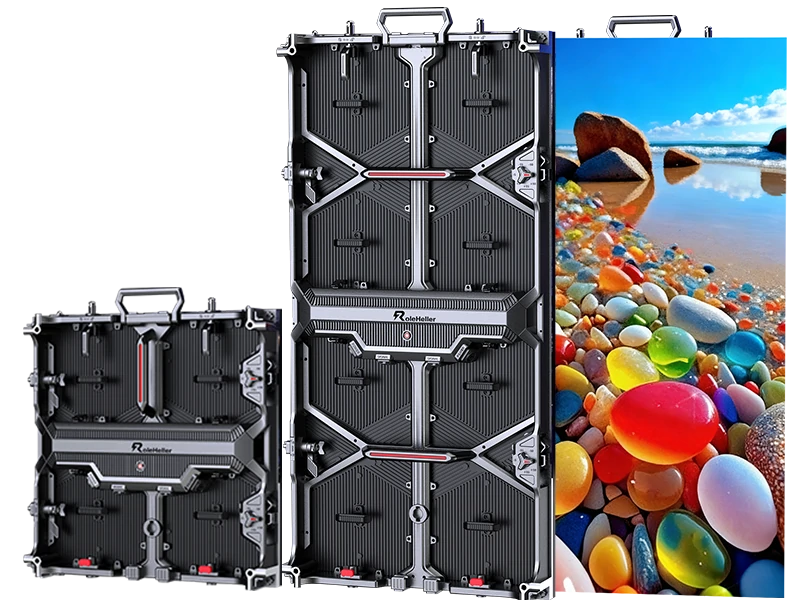
Before we dive into the specifics for Palmdale, let's talk about the "why." You could use a projector, right? Well, the biggest advantage of an LED screen is its brightness and clarity, especially in places with a lot of ambient light. Think about an outdoor festival or a bright conference hall—a projector's image would look washed out, but an LED screen remains vibrant and clear .
An LED video wall also creates a real "wow" factor. It's more immersive and engaging for your audience, whether you're displaying a keynote presentation, live video feeds, or just dynamic background visuals. They offer excellent viewing quality from various angles and distances, which is something projectors often struggle with .
Alright, this is the core of it. Getting these factors right is what separates a good event from a great one.
1. Pixel Pitch and Viewing Distance
This is the term that confuses everyone, but it's crucial. Pixel pitch is simply the distance, in millimeters, between the centers of two pixels on the screen. A smaller number (like P2.6) means the pixels are packed closer together, resulting in a sharper, higher-resolution image. A larger number (like P3.9 or P6) means the pixels are farther apart .
So, how do you choose? It all depends on how close your audience will be.
Close audience (e.g., a conference room): You need a smaller pixel pitch like P2.6. This ensures people sitting up close see a crisp image, not a bunch of dots.
Distant audience (e.g., a concert or festival): A larger pixel pitch like P3.9 or P4.8 is perfect and more cost-effective. From far away, the image will still look great .
Getting this wrong is a common mistake. If the pitch is too large for a close-up audience, the image will look pixelated.
2. Brightness and Weatherproofing (Indoor vs. Outdoor)
Is your event indoors or outdoors in Palmdale? The answer completely changes the type of screen you need.
Indoor LED Screens: These are designed for controlled lighting. They have a brightness level that's comfortable for the eyes in a darker environment, typically measured in nits .
Outdoor LED Screens: These are built to fight sunlight. They are much brighter and, critically, they are weatherproof (with a rating like IP65) to protect against dust and rain. Using an indoor screen outdoors is a surefire way to have a failed event, both in terms of visibility and potential damage to the equipment .
3. Screen Size and Setup Logistics
It's not just about the physical size of the screen; it's about the size of your venue and audience. You also need to think about the practicalities: Does the venue have the space and power? How long will setup take? A good rule of thumb is to match the screen size to the expected audience size and the dimensions of the space . Professional rental companies handle the setup, but it's something you need to discuss upfront.
Let's talk numbers. The cost isn't a single flat fee; it's made up of a few components. Generally, you can think of it as a cost per square foot. One industry source suggests a typical range is $50 to $70 per square foot per day for the screen itself . So, a 100-square-foot screen could start around $5,000-$7,000 per day.
But that's just the beginning. The final price depends heavily on the factors we just discussed:
Pixel Pitch: Higher resolution (smaller pitch) screens cost more.
Indoor vs. Outdoor: Outdoor screens are generally 20-50% more expensive due to higher brightness and weatherproofing .
Rental Duration: Most companies offer discounts for multi-day rentals. Renting for three days or a week can bring the daily rate down significantly compared to a single-day rental .
Other costs to factor in include professional installation, which can range from $1,000 to $5,000 or more depending on the complexity, and transportation fees . The key is to get a detailed quote that breaks down all these elements.
This might be the most important step. The company you choose can make or break your experience. Look for a provider with a proven track record. Here’s what a reputable partner should offer:
Full-Service Packages: The best providers don't just drop off equipment. They offer packages that include delivery, professional setup and installation, operation during the event, and teardown. Having an on-site technician is invaluable for troubleshooting .
Quality Equipment and Transparency: Ask about the specifications of their screens. They should be able to clearly explain the pixel pitch, brightness, and whether the screens are suitable for indoor or outdoor use.
Local Expertise: A company familiar with Palmdale and the Antelope Valley will understand local venues and any specific logistical considerations.
My personal advice? Don't just choose the cheapest quote. Choose the provider that demonstrates the most expertise and willingness to partner with you to make your event a success. The peace of mind is worth it.
Different events have different needs. Here’s a quick guide:
Corporate Conferences & Trade Shows: A high-resolution screen (P2.6-P3.9) is ideal for showing sharp presentations and videos to an audience that may be relatively close .
Concerts & Festivals: For large outdoor events, a bigger, brighter screen with a larger pitch (P3.9-P6) is perfect. The audience is farther back, so the image will still look great .
Weddings & Private Parties: LED screens can be used for photo slideshows, live feeds of the ceremony, or even as a dynamic backdrop. A smaller, high-resolution screen often works best .
The key is to communicate your event's specifics to your rental company so they can recommend the perfect solution.
From my perspective, the biggest mistake I see people make is leaving the AV planning to the last minute. Start the conversation early, be clear about your budget and vision, and a good rental partner will help you navigate the rest. The technology might seem complex, but the outcome—a captivated audience—is absolutely worth it.
Frequently Asked Questions (FAQs)
Q1: How far in advance should I book an LED screen rental in Palmdale?
It's best to book as soon as your event date is confirmed, especially during popular seasons. Aim for several weeks to a few months in advance to ensure the equipment and technical support you need are available.
Q2: What is the difference between pixel pitch and resolution?
Pixel pitch is the physical measurement between pixels on the screen itself (in millimeters). A smaller pixel pitch means pixels are packed tighter, resulting in a higher-resolution image that appears sharper, especially to viewers who are close up.
Q3: Can I use an indoor LED screen for an outdoor event?
It is highly not recommended. Indoor screens lack the necessary weatherproofing and high brightness levels required to combat sunlight. Using one outdoors risks damaging the equipment, and the image will likely be impossible to see clearly.
Q4: Are technical support and setup included in the rental price?
Reputable rental companies typically include delivery, setup, operation, and teardown in their packages. Most also provide an on-site technician for the duration of your event to handle any issues, which is crucial for a smooth experience. Always confirm what is included in your quote.
Q5: What content formats work best on an LED video wall?
Modern LED processors can handle a variety of formats, but content with high native resolution (like 1080p or 4K) will always look best. It's a good idea to test your content (videos, slides) with the rental company beforehand to ensure compatibility and optimal display.
.jpg "Where to Find Wholesale P1.875 LED Video Wall Manufacturers?")
.jpg "How Do You Find Reliable China P1.8 LED Video Wall Manufacturers?")