 English
The direct answer is that you can source directly from legitimate wholesale LED board display manufacturers like Unilumin, Absen, Leyard, Gloshine, Chipshow, Cinstar, and Qiangli Jucai, cutting your equipment acquisition costs by 45% to 65% compared to local AV integrators, but only if you contractually specify component-level hardware and buy by the full cabinet or module lot. Direct wholesale sourcing drops indoor P2.5 video wall costs down to $400 to $650 per square meter and outdoor P3.9 rental panels to $650 to $950 per square meter. However, wholesale factories build industrial hardware for professional installation crews, not plug-and-play living room screens. When buying direct, you become your own systems engineer: you must calculate 5V DC power bus distributions, demand unified single-batch diode binning, secure factory configuration files, and verify safety certifications before cargo crates leave the dock.
Have you ever sat through a sales pitch from a local commercial integrator quoting $55,000 for a 150-inch church or sports bar video wall, looked at the spec sheet, and wondered why that exact hardware sits on warehouse racks in Southern China for under $18,000?
That markup exists because local distributors bundle heavy margins to cover domestic shipping buffers, field warranty calls, and corporate overhead. Sourcing directly from wholesale led board display manufacturers gives you access to the world's most concentrated optical and digital display supply chain, but taking advantage of factory-gate pricing means knowing how to separate genuine manufacturing facilities from trading agents operating out of small serviced offices. If you understand how the upstream semiconductor supply chain works, which driver ICs eliminate camera scan lines, and how to enforce pre-shipment quality control, you can install enterprise-grade video walls at wholesale costs without getting burned. Let's dive right into it!
When buyers begin researching display manufacturers in China, they often picture a single company that smelts the aluminum frames, fabricates the silicon driver chips, encapsulates the tiny light-emitting diodes, and writes the video processing software under one roof. In reality, the commercial display industry is deeply specialized. Even multi-billion-dollar global brands source their core components from the exact same upstream packaging houses and semiconductor foundries.
To navigate this market effectively, you need to understand the four distinct tiers that make up every finished video wall:
[ Upstream Silicon & Diode Packaging ]
(Nationstar, Kinglight, MLS, Macroblock, Chipone, Silan)
                     │
                     ▼
[ High-Speed Automated SMT Module Foundries ]
(Qiangli Jucai, Meiyad, High-Volume PCB Assemblers)
                     │
                     ▼
[ OEM/ODM System Integrators & Cabinet Builders ]
(Absen, Unilumin, Gloshine, Chipshow, Cinstar, Dvon)
                     │
                     ▼
[ Video Processing & Receiving Architecture ]
(NovaStar, Colorlight, Brompton Technology, Megapixel VR)
The Diode Packaging Foundries: Upstream semiconductor fabricators like San'an Optoelectronics grow raw epitaxial wafers. Packaging specialists like Nationstar, Kinglight, and MLS take microscopic silicon dies, bond them with microscopic gold or copper wire leads, encapsulate them in black or white epoxy resin cups, and package them as surface-mount devices (SMD 1010, SMD 1515, SMD 2121) onto reels.
The Constant-Current Driver IC Makers: Companies like Macroblock (MBI), Chipone (ICN), and Sunmoon engineer the pulse-width modulation (PWM) driver chips mounted to the back of each module board. These chips control refresh rates, grayscale depth, and ghosting reduction.
The SMT Module Surface-Mount Plants: High-volume automated plants like Qiangli Jucai and Meiyad run massive lines of Yamaha and Panasonic pick-and-place machines. They shoot hundreds of thousands of diodes onto raw printed circuit boards every hour, churning out millions of standard 320×160mm bare modules every month at razor-thin margins.
The Finished Cabinet Fabricators (Your Direct Sourcing Partners): Companies like Gloshine, Chipshow, Cinstar, and custom OEM divisions of Absen and Unilumin build the structural cabinets. They source bare modules, mount them to CNC-machined die-cast aluminum or magnesium frames, install 5V switching power supplies, run internal wiring harnesses, mount receiving cards, and calibrate the finished screens.
If you submit an inquiry through an open export portal and receive an immediate quote offering prices 30% below market standard, you are almost certainly talking to an export trading agent. Surrendered surplus modules from mismatched production lots get bought up by these brokers, screwed into flimsy stamped-sheet enclosures, and shipped abroad without proper color calibration passes. When we are using legitimate factory channels, we bypass those brokers entirely and deal directly with OEM builders who supply verified component bills of materials (BOM).
Not every factory in Guangdong serves the same type of client. Choosing the right partner depends on order volume, technical customization needs, and your internal engineering capabilities.
| Supplier Classification | Representative Factories | Pricing Level ($ / m²) | Minimum Order (MOQ) | Strengths | Trade-Offs & Limitations |
|---|---|---|---|---|---|
| Tier-1 Publicly Traded Giants | Absen, Unilumin, Leyard, Infiled | $1,200 – $3,500 (P1.5 to P2.5) | High (Often full project batches) | Global branch offices, local RMA centers, complete lab testing | High brand markup; reluctant to deal directly with small buyers |
| Tier-2 Specialized OEM/ODMs | Gloshine, Chipshow, Cinstar, AOTO, Dvon | $450 – $1,200 (P1.5 to P2.5) | Moderate (4 to 8 cabinets or ~2 m²) | High customization flexibility, responsive engineering, honest pricing | Limited overseas physical repair centers; buyer manages import steps |
| High-Volume Bare Module Foundries | Qiangli Jucai, Meiyad | $250 – $500 (Loose modules only) | High (Box lots of 20 to 50 modules) | Lowest possible unit cost per square meter | Sells bare modules only; no frames, no system engineering support |
| Export Trading Companies | Miscellaneous Alibaba / Made-in-China sellers | $300 – $600 (Cabinets) | Single cabinets | Fast English sales chat, accepts small mixed orders | Zero manufacturing control, mixed-bin diodes, no long-term parts matching |
When we are working with clients who need custom aspect ratios, tailored wall-mounting frames, or specialized curved panels, Tier-2 OEM specialists consistently offer the most practical balance. Their senior engineers will communicate with you directly over WeChat or Teams, customize internal cable routing for your specific job site, and provide factory-direct technical support without corporate bureaucracy.
When you request a wholesale proforma invoice, the sales representative will send you a spec sheet. If that sheet simply reads "High Quality P2.5 Indoor Cabinet," reject it immediately. You need explicit component line items written into the contract.
| Component Category | Premium Tier (Broadcast / Corporate) | Commercial Wholesale Standard | Budget Warning (Avoid for Commercial Use) |
|---|---|---|---|
| LED Diode Packaging | Nationstar Gold-Wire (RS-1515 / RS-2121) | Nationstar Copper-Wire or High-Grade Kinglight | Unbranded white-label diodes, recycled copper wire |
| Driver IC Model | Macroblock MBI5359 / Chipone ICN2163 | Macroblock MBI5153 / Chipone ICN2153 | Unbranded double-latch ICs (severe ghosting & low refresh) |
| Refresh Rate | 3,840 Hz to 7,680 Hz (Camera-Ready) | 3,840 Hz (Standard Commercial) | 1,920 Hz (Flickers on smartphone video recordings) |
| Cabinet Construction | Die-Cast Magnesium / CNC Aluminum | Die-Cast Aluminum (640×480mm or 500×500mm) | Stamped Sheet Iron (Heavy, warps, misaligned seams) |
| Power Supplies | Mean Well UHP Series (Fanless, low-profile) | Mean Well LRS / Great Wall / G-Energy | Unbranded generic switching supplies (high coil whine) |
| Power Architecture | Common Cathode (Dual rail 2.8V / 3.8V) | Common Cathode or Quality Common Anode | Standard Common Anode 5V (Overheats cabinet) |
| Receiving Card | NovaStar A8s / A10s (16-bit HDR, Low Latency) | NovaStar MRV328 / MRV366 / Armor A5s Plus | Outdated NovaStar MRV208 or cloned unbranded cards |
A screen can pack four million diodes, but if the constant-current driver ICs behind them are cheap 1,920 Hz double-latch chips, the screen will look terrible on camera. High-frequency driver ICs like the Macroblock MBI5153 or Chipone ICN2153 use internal SRAM to buffer grayscale transitions. This allows the display to achieve 3,840 Hz refresh rates while maintaining a full 14-bit to 16-bit grayscale depth even when dimmed down to 15% brightness in dark indoor venues.
Cheap chips drop grayscale resolution drastically when you lower brightness, turning smooth shadow gradients into ugly, stepped color bands.
When choosing a video wall, pixel pitch and packaging determine physical durability, contrast ratios, and long-term maintenance costs. At fine pixel pitches under 1.8mm, exposed surface-mount diodes become fragile.
  SMD (Surface Mount)          GOB (Glue-on-Board)             COB (Chip-on-Board)
 ┌───────────────────┐        ┌───────────────────┐          ┌───────────────────┐
 │ [LED] [LED] [LED] │        │ ~~~Clear Epoxy~~~ │          │ ===Resin Layer=== │
 │ ───── ───── ───── │        │ [LED] [LED] [LED] │          │ [Die] [Die] [Die] │
 │ === PCB Board === │        │ === PCB Board === │          │ === PCB Board === │
 └───────────────────┘        └───────────────────┘          └───────────────────┘
 Exposed diodes;              Epoxy flooded over SMD;        Bare silicon bonded to PCB;
 high repairability,          impact/moisture resistant,     zero diode drop-off,
 vulnerable to impact.        harder field repairs.          factory-only repairs.
| Packaging Technology | Impact Resistance | Surface Black Uniformity | Thermal Dissipation | Field Repairability | Cost Index | Best Suited Environments |
|---|---|---|---|---|---|---|
| Traditional SMD (Surface Mount Device) | Low; edge diodes vulnerable to knocks | Moderate; dependent on plastic mask louvers | Moderate; heat radiates into PCB traces | High; individual diodes replaceable via hot air | 1.0x (Baseline) | High-mounted walls, churches, auditoriums |
| GOB (Glue-on-Board) | High; transparent epoxy shields face | Good; deep black surface sheen | Moderate; epoxy slightly insulates diodes | Moderate; requires scraping epoxy to solder | 1.2x – 1.3x | High-traffic retail, schools, portable rentals |
| COB (Chip-on-Board) | Exceptional; completely smooth resin face | Superior; deep, uniform inky blacks | Superior; silicon dies bond directly to board | Low; module must be sent to cleanroom facility | 1.4x – 1.8x | Corporate boardrooms, command centers, luxury homes |
Chip-on-Board (COB) is widely praised for good reason: the microscopic LED flip-chips mount directly to the substrate and are sealed beneath optical epoxy resin. There are no tiny solder pins to snap off when cleaning the display or brushing past it.
However, COB introduces a real maintenance trade-off. If a single pixel line fails on an SMD module, an on-site technician with a steady hand, flux, and a hot-air rework wand can replace the diode in ten minutes. If a pixel fails on a COB module, field soldering is virtually impossible. The module must be unpinned from the frame and shipped back to the factory's cleanroom for specialized micro-wire bonding.
If your installation is out of reach of visitors, high-grade SMD or GOB remains an exceptionally practical and economical choice.
Pixel pitch selection directly dictates both hardware costs and minimum viewing distances. Sourcing the wrong pixel pitch either wastes tens of thousands of dollars on unneeded resolution or leaves viewers staring at distracting pixel grids.
Pitch Formula: Pixel Pitch (in mm) × 1.0 = Minimum Comfortable Viewing Distance (in meters)
Example: P1.56 = ~1.5 meters (5 feet) | P2.5 = ~2.5 meters (8 feet) | P3.91 = ~4.0 meters (13 feet)
| Pixel Pitch (mm) | Diodes per m² | Native 1080p Wall Dimensions | Native 4K Wall Dimensions | Recommended Environment | Typical Wholesale Hardware Cost ($ / m²) |
|---|---|---|---|---|---|
| P1.25 | 640,000 | 2.4m × 1.35m (~108") | 4.8m × 2.7m (~217") | Command centers, high-end private cinemas, executive boardrooms | $1,500 – $2,500 (COB / GOB) |
| P1.56 | 409,600 | 3.0m × 1.68m (~136") | 6.0m × 3.37m (~272") | Corporate boardrooms, broadcast studios, luxury retail | $900 – $1,500 (SMD / GOB) |
| P1.87 | 284,444 | 3.6m × 2.02m (~162") | 7.2m × 4.05m (~325") | University lecture halls, hotel ballrooms, high-traffic retail | $650 – $950 (SMD) |
| P2.5 | 160,000 | 4.8m × 2.7m (~217") | 9.6m × 5.4m (~435") | House of worship sanctuaries, sports bars, retail video walls | $400 – $650 (SMD) |
| P3.91 (Outdoor) | 65,536 | 7.5m × 4.2m (~339") | 15.0m × 8.4m (~678") | Outdoor concert touring, building facades, festival stages | $650 – $950 (IP65 SMD) |
At fine pixel pitches like P1.5 or P1.8, cabinet flatness is critical. If two adjacent cabinets are misaligned by just 0.15mm, you will see a glaring dark seam or an over-illuminated bright line running down the wall.
Never buy fine-pitch screens built from stamped sheet-metal enclosures. Insist on die-cast aluminum or die-cast magnesium cabinets produced via high-precision CNC machining. Die-cast manufacturing holds structural tolerances within 0.05mm. These cabinets feature integrated alignment pins and adjustable tension locks, allowing your installation crew to micro-adjust panel seams until the display surface looks completely seamless.
The single most costly mistake first-time buyers make when sourcing from wholesale LED board display manufacturers is ignoring diode binning.
LED diodes are grown on semiconductor crystal wafers. Every manufacturing run yields minor variations in:
Dominant Color Wavelength: Measured in nanometers (nm). For example, red light might center at 621nm in one lot and 624nm in another.
Luminous Intensity: Measured in millicandela (mcd).
Forward Voltage: The exact voltage drop across the diode junction.
Wafer Run 401A (621nm Dominant Red) ──> Consistent, Uniform Color Palette
Wafer Run 402B (624nm Dominant Red) ──> Slight Color Shift Toward Orange-Red
Mixing Run 401A and 402B on One Frame ─> Ugly "Quilting" / Patchwork Effect
If a factory runs short on modules to complete your order and silently mixes in ten cabinets from a previous production batch, the white balance across your wall will be uneven. When displaying a clean white slide, portions of the display will look noticeably reddish-pink, while other sections appear cool blue or greenish.
Contractual Requirement: Write into your purchase contract that 100% of the display modules, plus a mandatory 10% to 15% spare parts allowance, must originate from the exact same silicon wafer run and packaging lot.
Furthermore, make sure your factory sales engineer saves the full optical calibration file (the NovaStar chroma and brightness calibration coefficients and the .rcfgx module configuration file). Have the engineer email these files directly to you and store them on backup thumb drives. If a receiving card fails two years down the road, uploading that factory .rcfgx file restores proper panel parameters in minutes.
Heat is the primary enemy of LED video walls. High operating temperatures cause solder joints to crack, speed up diode lumen degradation, and shift color balance over time. When evaluating wholesale options, you will choose between two underlying electrical architectures.
COMMON ANODE (Traditional, High Waste Heat)
  5V DC Bus ──┬──> [Red Diode]   ──> (Requires 2.8V; 2.2V burned off as pure heat)
              ├──> [Green Diode] ──> (Requires 3.2V; 1.8V burned off as pure heat)
              └──> [Blue Diode]  ──> (Requires 3.2V; 1.8V burned off as pure heat)

COMMON CATHODE (Modern Energy-Efficient Wholesale Standard)
  2.8V DC Rail ──> [Red Diode]   ──> (Zero excess voltage drop; runs cool)
  3.8V DC Rail ──> [Green Diode] ──> (Optimal efficiency)
  3.8V DC Rail ──> [Blue Diode]  ──> (Optimal efficiency)
In older Common Anode systems, a single 5V DC line supplies power to all three color diodes. Because red diodes only need about 2.8V to light up, the driver chip burns off the remaining 2.2V as waste heat right on the circuit board.
In modern Common Cathode cabinets, the power supply provides independent voltage rails: 2.8V for red and 3.8V for green and blue.
The screen surface runs 10°C to 15°C cooler to the touch.
Overall electricity consumption drops by 25% to 35%.
The cabinet requires no noisy cooling fans, making it ideal for quiet environments like church sanctuaries, boardrooms, and private screening rooms.
Whenever your budget allows, opt for Common Cathode hardware from your wholesale supplier. The small 10% price premium easily pays for itself through lower energy bills, reduced air conditioning demand, and extended diode longevity.
LED video walls consume significant power and generate substantial heat. Underestimating your electrical infrastructure can trip circuit breakers, melt wiring, or shorten hardware lifespan.
Mains AC Power (120V / 230V Breaker Panel)
                 │
                 ▼
    [ Mean Well UHP-200-5 PSU ]
     ├── Line 1 (5V DC, 16 AWG) ──> Module 1 & Module 2
     └── Line 2 (5V DC, 16 AWG) ──> Module 3 & Module 4
                 │
     (Chassis ground bonded directly back to building earth)
Let's work through a practical electrical example for an indoor P2.5 display measuring 4.8 meters wide by 2.7 meters high (a native 1080p array totaling roughly 13 square meters):
A typical indoor P2.5 cabinet pulls roughly 500 to 600 Watts per square meter at peak load (displaying a 100% full-white test screen at maximum brightness).
Peak power draw for the entire wall: 13 m² × 600 W = 7,800 Watts.
In real-world operation displaying standard video, graphics, and presentations, the average picture level (APL) hovers around 30% to 40%. This means your continuous operational power draw will sit closer to: 7,800 W × 0.35 ≈ 2,730 Watts.
However, electrical systems must always be engineered for peak load, not average load. In North America (120V circuits), a 7,800W peak load requires four dedicated 20-amp circuits. In European and international markets (230V circuits), this setup requires two dedicated 16-amp breakers.
Under-powering your screen causes voltage drops along the internal 5V DC busbars. When voltage drops below 4.4V, red diodes fail first, producing strange cyan and bluish color patches across high-demand content.
How you access the internal electronics depends heavily on the mounting location. Forgetting about service access before bolting cabinets to a wall creates massive headaches later.
[ FRONT SERVICE: Vacuum Tool Extraction ]
   Technician stands in front of display
              │
              ▼
   [ Electric Vacuum Tool ] ──(Pulls)──> [ Magnetic Module Pops Out Forward ]
   (No rear clearance needed; mount directly against flat walls)

[ REAR SERVICE: Mechanical Latch Access ]
   Technician must walk behind the wall
              │
              ▼
   [ Unlatch Rear Doors ] ──> [ Access Receiving Cards, Power Supplies, Cables ]
   (Requires 2 to 3 feet of dedicated technician clearance behind screen)
Front-Service Maintenance: Modules secure to the cabinet frame using high-strength neodymium magnetic lugs. To service a dead pixel or replace a driver card, a technician places an electric vacuum suction tool against the face of the module, presses a button to generate suction, and pulls the module straight out from the front. This allows you to mount the entire video wall flat against structural drywall or concrete, saving valuable floor space.
Rear-Service Maintenance: Cabinets feature hinged or bolted rear access doors. While mechanically rigid and popular for outdoor billboards and mobile concert touring rigs, this layout requires building an access walkway behind the screen with at least two to three feet of clearance.
For indoor installations in boardrooms, retail shops, or house-of-worship stages, insist on front-service magnetic modules.
Hardware is only half the job. Once your cabinets are hung and power lines are energized, your sending box needs to map pixels across the screen grid. Here is the detailed setup method, let's look through it together:
[ Control PC Running NovaLCT ] ──USB/Ethernet──> [ NovaStar VX1000 ] ──Cat6 Cables──> [ Video Wall ]
Establish Physical Links: Connect your Windows PC to the NovaStar video processor via USB-B or Ethernet. Run a Cat6 network cable from Port 1 of the processor to the data input port of Cabinet 1.
Log in to Advanced Synchronous Mode: Open NovaLCT on your PC. Click the "User" tab in the top navigation, select "Advanced Synchronous System User," and enter the default password (admin or 666666).
Load the Factory Configuration File: Click "Screen Configuration," select your active communication port, and proceed to the "Receiving Card" tab. Click "Load from File" and select that .rcfgx file you obtained from the factory engineering department. Click "Send to HW" and then click "Save." This way you can instantly restore the precise scan timing, clock phase, and multiplexing ratios without guessing pinouts.
Configure Screen Connection Mapping: Switch to the "Screen Connection" tab. Enter the total number of cabinet rows and columns. Enter the exact pixel width and height of an individual cabinet (for example, 256×256 pixels for a P2.5 640×640mm cabinet).
Draw the Data Cable Path: Click through the virtual grid on screen, matching the physical path that your Cat6 cables travel through the back of the wall. Click "Send to HW" and click "Save to HW." At the time of saving, your test pattern will lock in and your desktop wallpaper will appear across the seamless video wall. Hope this helps you out when configuring your first display!
Never release your final 70% payment balance to an overseas manufacturer until their team passes a rigorous Factory Acceptance Test (FAT). If you cannot travel to Guangdong in person, hire a qualified third-party inspection firm or conduct a live, high-resolution video inspection over Teams, Zoom, or WeChat.
Step 1: 72-Hour Continuous Burn-In Test (Full white, red, green, blue color sweeps)
                      │
                      ▼
Step 2: Low-Brightness Grayscale Sweep (Check for dark-scene banding at 10% brightness)
                      │
                      ▼
Step 3: Seam & Flatness Feeler Gauge Audit (Verify tolerance < 0.1mm)
                      │
                      ▼
Step 4: Spare Parts Box Audit (Verify matching batch serial numbers)
                      │
                      ▼
Step 5: High-Potential (Hi-Pot) Electrical Safety Test (Check ground insulation)
The 72-Hour Continuous Aging Test: The factory must assemble your complete display array on their testing floor and run continuous aging loops for a full 72 hours. Diodes that are prone to early failure almost always burn out during this initial operational window. If any dead pixels appear, factory technicians can replace the diodes using hot-air rework tools before the screens are crated.
The Low-Brightness Grayscale Sweep: Testing a screen only at 100% brightness hides driver flaws. Have the technician dim the screen down to 10% brightness and display a monochromatic gray ramp. Check for vertical banding lines running down modules, or pinkish/greenish color shifts across dark gradients. Quality PWM driver chips maintain clean, neutral gray tracking even at very low drive currents.
The Flatness Feeler Gauge Check: Direct the technician to sweep a portable work light along the surface of the assembled cabinets at a sharp side angle and run a 0.1mm feeler gauge across the panel joints. You should see no light leakage, overlapping cabinet edges, or wide gaps.
The Hi-Pot Electrical Safety Audit: The factory QA team must test ground continuity between the mains AC earth terminal and the exposed metal chassis using a dedicated insulation tester. This confirms that line voltage cannot leak onto the aluminum enclosure, protecting users from electrical hazards and ensuring compliance with international safety standards.
Verifying the Spare Parts Crates: Open the spare parts boxes on camera. Confirm that every spare module carries the exact same serial numbers and batch production stamps as the main display panels.
Technically yes, if your computer houses an internal PCI-e sending card like the NovaStar MSD300. But in real-world commercial environments, this setup creates practical headaches.
An all-in-one video processor (such as a NovaStar VX400, VX1000, or Colorlight X4e) combines an input switcher, hardware scaler, EDID emulator, and sending card in a single rack-mount chassis. You connect your media server, Apple TV, laptop, or camera system via standard HDMI or DisplayPort. The processor scales incoming signals to the display's exact non-standard canvas resolution and distributes the pixel data across gigabit Ethernet lines to the receiving cards, eliminating frame tearing and sync issues.
Video Source (HDMI / DisplayPort)
                 │
                 ▼
[ All-in-One Video Processor (NovaStar VX1000) ]
  • Hardware scaling to custom canvas resolution
  • EDID emulation for stable computer handshakes
  • Output mapping over Cat6 gigabit ports
                 │
                 ▼
Cat6 Gigabit Line 1 ──> Cabinet Column 1 ──> Cabinet Column 2
Cat6 Gigabit Line 2 ──> Cabinet Column 3 ──> Cabinet Column 4
This is where low-cost trading companies run into serious trouble. Building codes in Europe, North America, and other major markets require commercial electrical installations to hold verifiable safety certifications like CE (EMC Class B and LVD), FCC, or ETL/UL 62368-1.
Demand the factory's complete 30-to-60-page laboratory testing dossier issued by accredited testing bodies like TÜV Rheinland, SGS, Intertek, or certified CNAS laboratories. Check that the manufacturer name and model number on the test report match your proforma invoice, the switching power supplies listed in the report are authentic, branded units (such as Mean Well), and the EMC test confirms compliance with EN 55032 Class B (commercial/residential standard), not just the less stringent Class A industrial standard.
Modern commercial video walls feature front-serviceable magnetic modules. You never need to tear down the wall or access the rear of the screen. When a diode gets damaged, a technician uses a handheld electric vacuum suction extraction tool. You place the suction cup against the face of the module, press the button to engage the vacuum, and pull the module straight out from its magnetic mounts. You disconnect the flat ribbon cable and 5V power drop, plug in a spare module from your original batch, and snap it into place. The entire swap takes less than three minutes.
[ Front-Service Extraction Process ]
  1. Place electric vacuum suction tool on module face
  2. Engage vacuum motor to grip the mask securely
  3. Pull module straight forward away from magnetic mounts
  4. Disconnect 16-pin data ribbon and 5V power cable
  5. Connect spare module and let magnets lock it into place
LED display panels fall under international Harmonized System code HS 8528.59. Ocean freight (FCL or LCL) takes 20 to 35 days and represents the most cost-effective shipping method. For urgent jobs, air freight delivers hardware in 5 to 7 days, though it costs roughly three to four times more. Work with a licensed local customs broker who can handle port clearance, destination terminal handling charges, and import tariffs (such as Section 301 tariffs in the United States or national VAT in European territories). You can also request DDP (Delivered Duty Paid) shipping terms from established manufacturers who have existing logistics partnerships with international freight forwarders.
If there is one guiding principle learned from years of deploying commercial video walls, it is this: never choose a manufacturing partner based purely on the lowest price per square meter.
Saving $500 on an order by accepting unbranded driver ICs, copper-wire diodes, or cheap power supplies might look like a win on a spreadsheet. But when that display heats up your boardroom like an industrial radiator, whines with electrical coil noise, or produces ugly horizontal scan lines on smartphone cameras, that initial discount disappears into emergency service calls and client frustration.
What I regularly use on job sites comes down to a simple formula: prioritize structural cabinet tolerances, verifiable Nationstar gold-wire diodes, high-refresh Macroblock or Chipone driver ICs, and genuine NovaStar control cards. But some people want to cut corners to win a project bid. What should you do then? Walk away from low-tier trading shops. Demand complete factory .rcfgx configuration files, enforce the single-batch diode rule, and secure a generous spare parts allowance before wiring your deposit. Take those common-sense engineering steps, and you will secure enterprise-grade video wall hardware directly from the factory line at a fraction of domestic integrator pricing.
Standard production lead times for custom commercial LED video walls run between 15 and 25 business days from receipt of your deposit. This timeline includes surface-mount SMT assembly, cabinet CNC machining, power harness wiring, and the mandatory 72-hour aging burn-in test. Ocean shipping adds 20 to 35 days depending on your destination port, while express air freight delivers crated hardware in 5 to 8 business days.
Factory-direct costs for reliable indoor displays featuring Nationstar diodes, 3,840 Hz driver ICs, and die-cast aluminum cabinets typically range from $400 to $650 per square meter for P2.5, $650 to $950 per square meter for P1.8, and $1,100 to $1,800 per square meter for fine-pitch P1.2 to P1.5. Outdoor IP65 displays generally range from $650 to $1,100 per square meter depending on pixel pitch and nit ratings.
SMD (Surface Mount Device) solders individual packaged diodes onto the PCB face; it is cost-effective and easy to repair, but vulnerable to physical impacts. GOB (Glue-on-Board) applies an optically clear epoxy resin over standard SMD modules, providing impact protection and moisture resistance for high-traffic environments. COB (Chip-on-Board) mounts microscopic bare silicon LED dies directly onto the circuit board, sealing them under a smooth resin layer for exceptional contrast, wide viewing angles, and physical durability.
LED diodes are manufactured in unique semiconductor production runs called "bins," which exhibit subtle, microscopic differences in dominant color wavelength, forward voltage, and luminous intensity. If an LED diode burns out next year and you replace it with a module from a different manufacturing run, the replacement section will clash with the surrounding display. Always purchase an additional 10% to 15% spare modules from the exact same production batch.
Ask the manufacturer for their complete 30-to-60-page testing laboratory report for CE (EN 55032 Class B, EN 62368-1), FCC, or ETL/UL standards, rather than accepting a decorative single-page certificate summary. Legitimate reports contain full test data, photographs of the cabinet inside an anechoic chamber, circuit board schematics, and an official report reference number that can be independently verified on the issuing laboratory's database.
At a minimum, you need a high-precision laser level to align structural mounting channels, metric hex drivers (specifically M3, M4, and M6), a digital multimeter to confirm 5V DC power bus stability and ground continuity, an electric vacuum extraction tool for front-servicing magnetic modules, and a Windows laptop running NovaStar NovaLCT configuration software.
No. Standard drywall bows under load and shifts with ambient humidity changes. A fine-pitch display requires structural flatness within 0.1mm across the entire mounting plane to avoid visible seams. Install a rigid framework using industrial extruded aluminum profile rails (such as 2040/4040 aluminum extrusions) or steel Unistrut channels anchored directly into wall studs or structural concrete, leveling the rails with precision shims before bolting down your cabinets.
The standard commercial payment structure is 30% T/T (Telegraphic Transfer) deposit upon signing the proforma invoice to commence production, with the remaining 70% balance paid after passing pre-shipment factory inspection and before cargo dispatch. For first-time buyers or larger projects, using third-party escrow services like Alibaba Trade Assurance or an irrevocable Letter of Credit (L/C) provides added financial security.
Scrambled lines typically point to one of three issues: an incorrect .rcfgx module configuration file loaded into the receiving card, a mismatched scan frequency setting in NovaLCT, or a loose 16-pin HUB75 flat ribbon cable. First, verify that your flat ribbon data cables are firmly seated between the receiving card and module ports. If cabling is sound, reload the original factory .rcfgx file provided by your manufacturer to restore proper pin mapping.
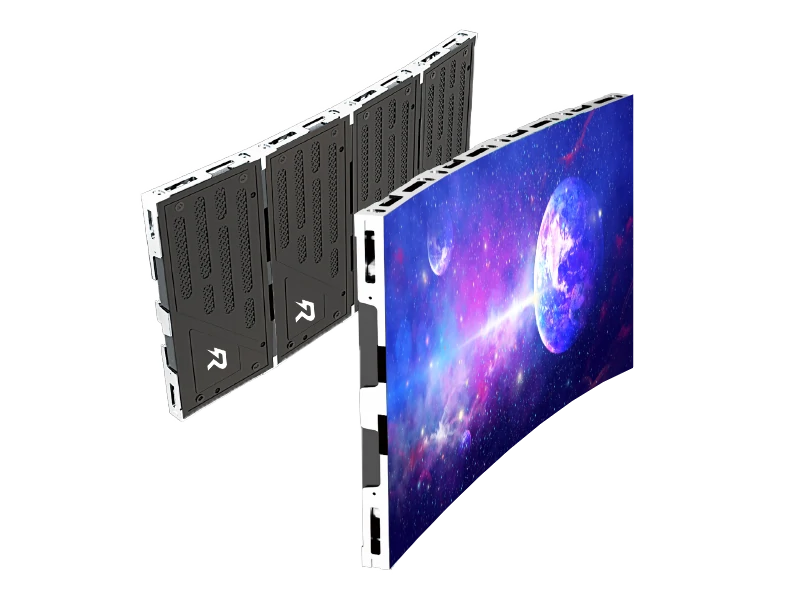
Yes, but you must specifically order either flexible silicone LED modules or specialized die-cast rental cabinets equipped with angle-adjustment side locks. Flexible modules bend across custom curved framing ribs, while angle-lock cabinets allow ±5° to ±10° of inter-cabinet curving at each seam to create smooth concave or convex video walls.
.jpg "Where do you find reliable wholesale P1.2 LED display manufacturers?")


.jpg "Is it worth buying a rental indoor LED screen from China?")
.jpg "Curved LED Display Manufacturers _ Factory Vetting & Custom Radius Guide")